
Azure · Segurança · Key Vault
How to replace an HSM key used by a resource in Azure
I set up a Storage Account with a customer-managed key (CMK) in Azure Key Vault Managed HSM to test replacing it with another key. In the Azure Portal, I selected chave-nova, clicked Save, and received the error “The operation failed because of authentication issue on the keyvault”.
The URI seemed correct, so I checked the Local RBAC of both keys. The screenshots show what I found and how I completed the swap. In the end, I included the Azure CLI commands. This test is a key swap, not the creation of a new version of the current key.
Environment used in this example
I prepared the lab in the East US region. These were the resources used.
| Resource | Lab name |
|---|---|
| Resource Group | rg-hsm-key-swap-blog |
| Managed HSM | hsmkeysblog79a740eb |
| Storage Account | sthsmkeysblog79a740eb |
| Key in use | chave-atual |
| Destination key | chave-nova |
The Storage Account uses a system-assigned Managed Identity. I started with chave-atual; chave-nova already existed in the same Managed HSM, but did not yet have a role assignment for this identity. I created the exemplo-troca container and the blob antes-da-troca.txt to test read and write with CMK enabled.
The swap in the Azure Portal
The error on the first attempt
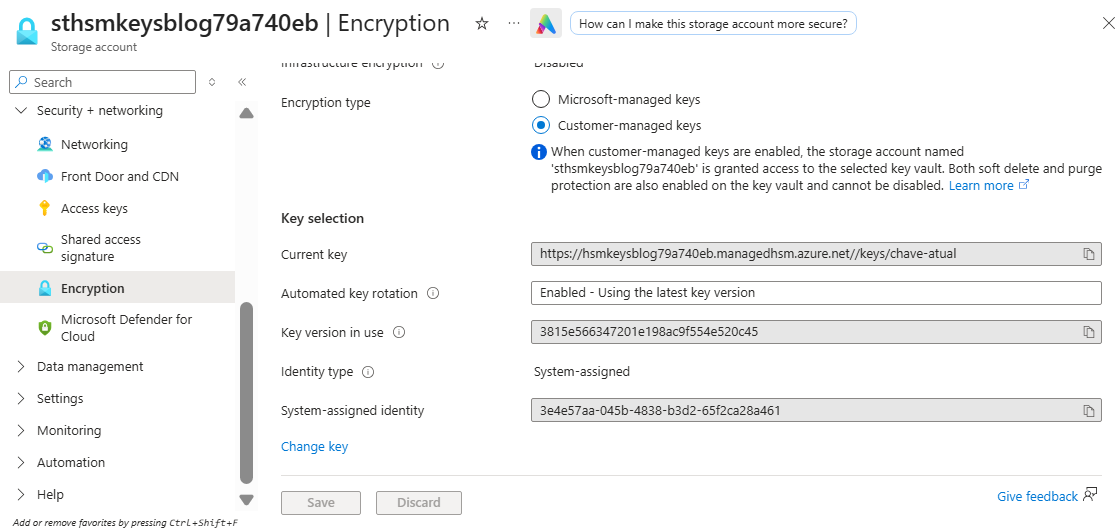
In Security + networking > Encryption, the Storage Account pointed to chave-atual in Current key and used the System-assigned identity.
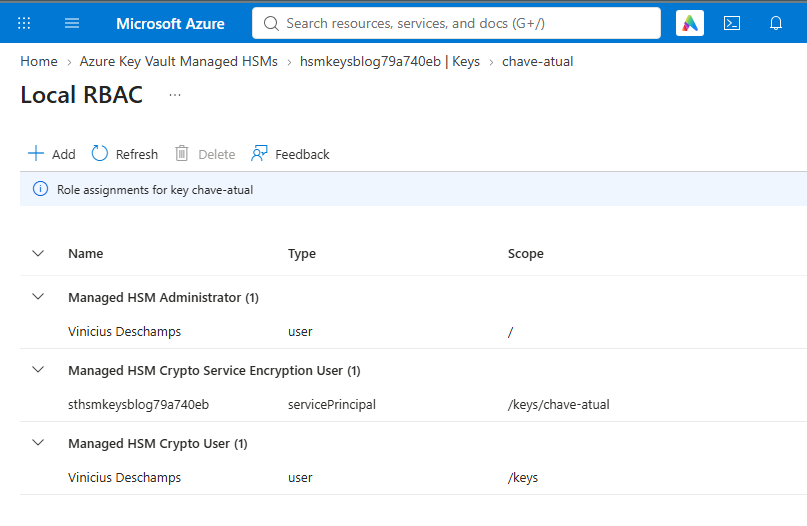
In the Local RBAC of chave-atual, the Managed Identity already had the role Managed HSM Crypto Service Encryption User at scope /keys/chave-atual.
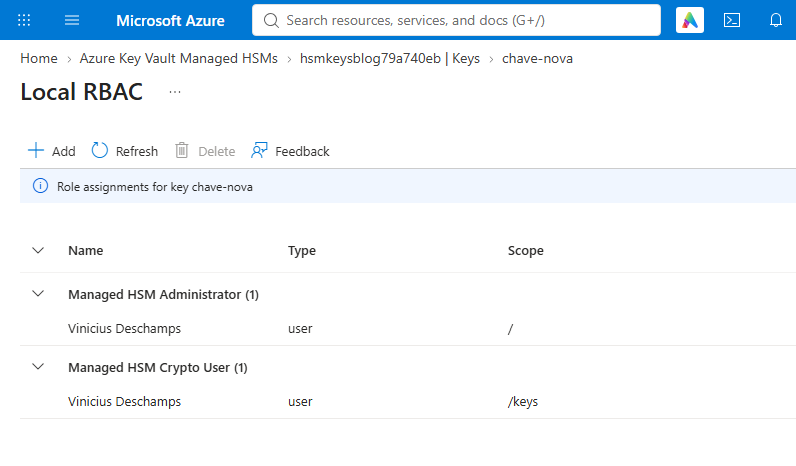
But on chave-nova, the Managed Identity did not appear in the Local RBAC.
I returned to the Storage Account, selected Change key, Managed HSM and chave-nova.
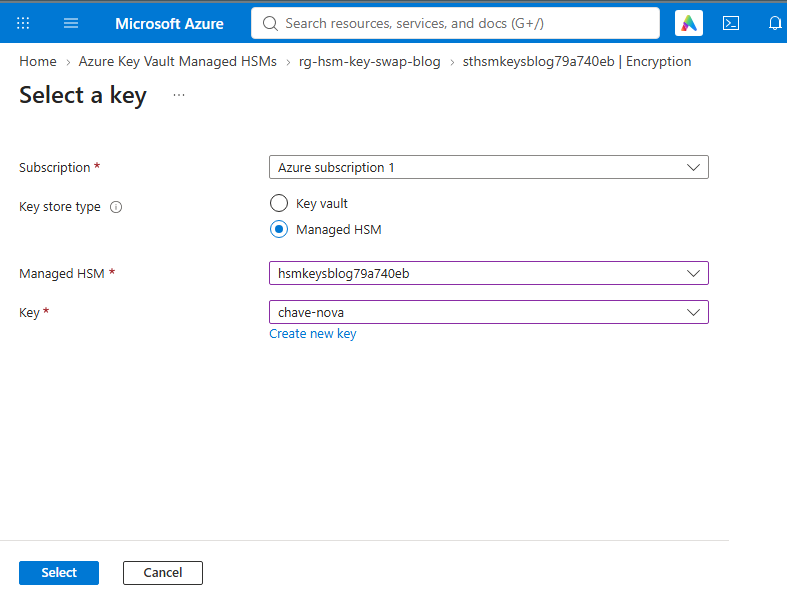
Before saving, the screen showed the new key and the same Managed Identity.
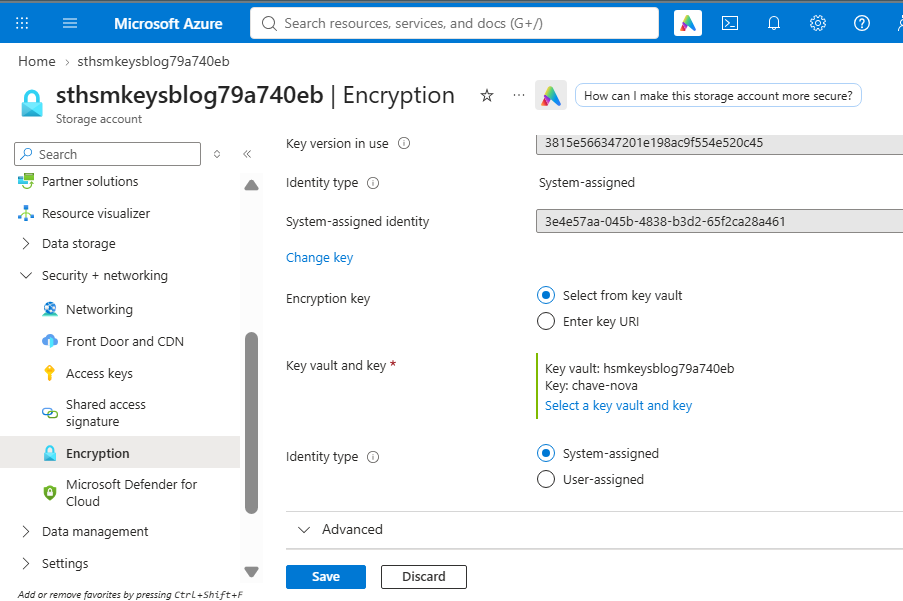
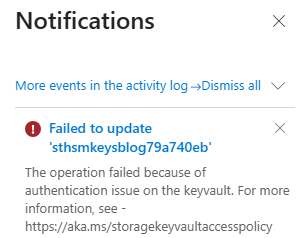
When saving, the authentication error appeared. The message did not point to the responsible key, but the Local RBAC of chave-nova showed the absence of the role assignment.
The catch
I could edit the Storage Account in the Azure Portal, but the Storage Account's Managed Identity was the one that needed access to the key. It already had the role on chave-atual and needed the same role on chave-nova before the swap. Access to the old key remained active throughout the process.
The Azure Storage documentation with Managed HSM indicates the role Managed HSM Crypto Service Encryption User for this Managed Identity, preferably at the key scope.
The Local RBAC adjustment
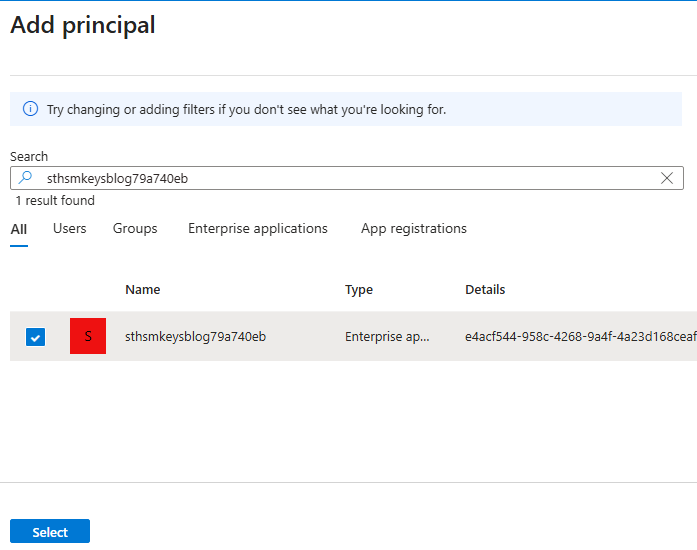
In chave-nova, I opened Local RBAC > Add and selected the Storage Account's Managed Identity. In the Portal, it appears as an enterprise application with the account name.
I chose Managed HSM Crypto Service Encryption User at scope /keys/chave-nova.
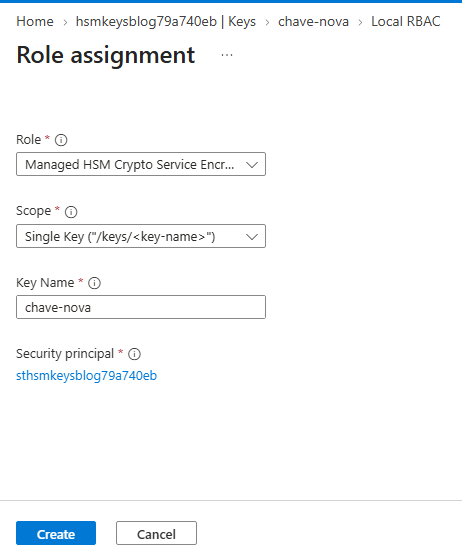
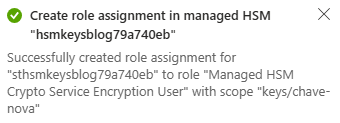
The Portal confirmed the role assignment.
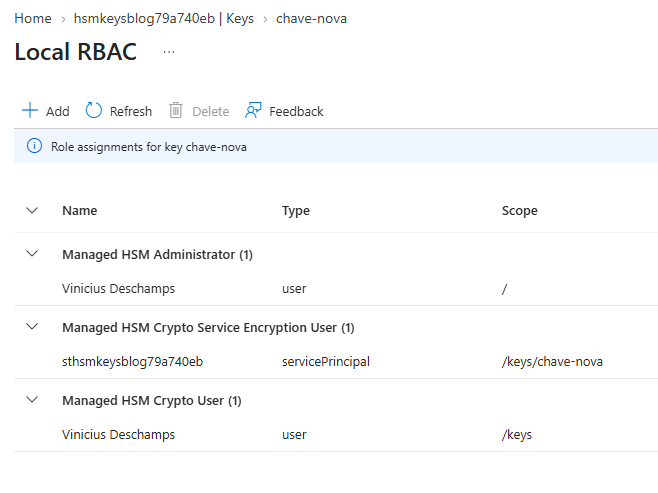
When returning to the Local RBAC, the Managed Identity already appeared on the new key.
Saving the change again
I saved the change to the Storage Account again. This time, the Portal confirmed the update.
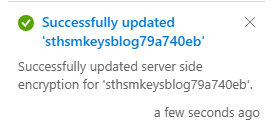
In Encryption, Current key now pointed to chave-nova. Through the Azure CLI, the keyName field also returned chave-nova. I kept the Managed Identity role on both keys while validating the Storage Account.
Before repeating in your environment
Before running the commands, check these four points.
- Confirm the Managed Identity principal ID used by the Storage Account for CMK.
- Note the name of the current key and the Managed HSM where it is located.
- Identify the new key and the destination Managed HSM. Make sure it is enabled.
- Check in the Local RBAC the role assignments of this Managed Identity on both keys.
The same swap using the Azure CLI
In PowerShell, use the commands below with a Storage Account that already has a system-assigned Managed Identity. Replace the values between < and > with those from your environment. Start by checking the identity and key in use.
az login
az account set --subscription "<id-da-assinatura>"

$rg = "<grupo-de-recursos>"
$storage = "<conta-de-armazenamento>"
$hsmAntigo = "<managed-hsm-atual>"
$chaveAntiga = "<nome-da-chave-atual>"
$hsmNovo = "<managed-hsm-destino>"
$chaveNova = "<nome-da-chave-nova>"

az storage account show --name $storage --resource-group $rg --query "{identity:identity,encryption:encryption}" --output jsonc
$principalId = az storage account show --name $storage --resource-group $rg --query "identity.principalId" --output tsv
$principalId
Check the two keys and the role assignments of the Managed Identity. A role assignment at the /keys or / scope can also grant access, even without a specific key-level assignment.
az keyvault key show --hsm-name $hsmAntigo --name $chaveAntiga --query "{id:key.kid,enabled:attributes.enabled}" --output jsonc
az keyvault key show --hsm-name $hsmNovo --name $chaveNova --query "{id:key.kid,enabled:attributes.enabled}" --output jsonc

az keyvault role assignment list --hsm-name $hsmAntigo --assignee-object-id $principalId --scope "/keys/$chaveAntiga" --output table
az keyvault role assignment list --hsm-name $hsmNovo --assignee-object-id $principalId --scope "/keys/$chaveNova" --output table
Create the role assignment only on the key that does not yet have the role. The two commands are here because the keys might be in different HSMs; in my test, the assignment for chave-atual already existed and I only needed to create one for chave-nova.
az keyvault role assignment create --hsm-name $hsmAntigo --role "Managed HSM Crypto Service Encryption User" --assignee-object-id $principalId --scope "/keys/$chaveAntiga"
az keyvault role assignment create --hsm-name $hsmNovo --role "Managed HSM Crypto Service Encryption User" --assignee-object-id $principalId --scope "/keys/$chaveNova"
With access in place, obtain the URI of the destination Managed HSM and update the Storage Account. Without --encryption-key-version, Azure Storage may use future versions of the new key automatically.
$hsmNovoUri = az keyvault show --hsm-name $hsmNovo --query "properties.hsmUri" --output tsv
$hsmNovoUri

az storage account update --name $storage --resource-group $rg --encryption-key-source Microsoft.Keyvault --encryption-key-vault $hsmNovoUri --encryption-key-name $chaveNova
Finally, verify the configured key. Then test a read or write operation on the Storage Account.
az storage account show --name $storage --resource-group $rg --query "encryption" --output jsonc
Keep the old key enabled and the Managed Identity access until validation is complete. The CMK documentation for Azure Storage shows the impact of losing access to the key used by the service.